
Appearance
Managing notification preferences
Potato Diary can let you know when something happens: a new visit logged, a treatment recorded, a comment left on one of your records. This guide covers how to choose which events you hear about, and how you hear about them.
Where notifications can reach you
Each notification type can be sent on up to three channels, shown as three columns:
- E-Mail: sent to your account's email address.
- In-app: shown under the bell icon at the top right of Potato Diary. See Getting around the app.
- Push: a push notification from the Potato Diary mobile app on iOS or Android.
You can mix and match. For example, you could get push notifications for store visits but only an email for comments.
INFO
New accounts start with every available channel switched on for every notification type. Switch off anything you don't want.
Step 1 — Open Notification Settings
At the bottom of the sidebar, click your name, then choose Settings. In the Account Settings dialog, click the Notification Settings tab on the left.
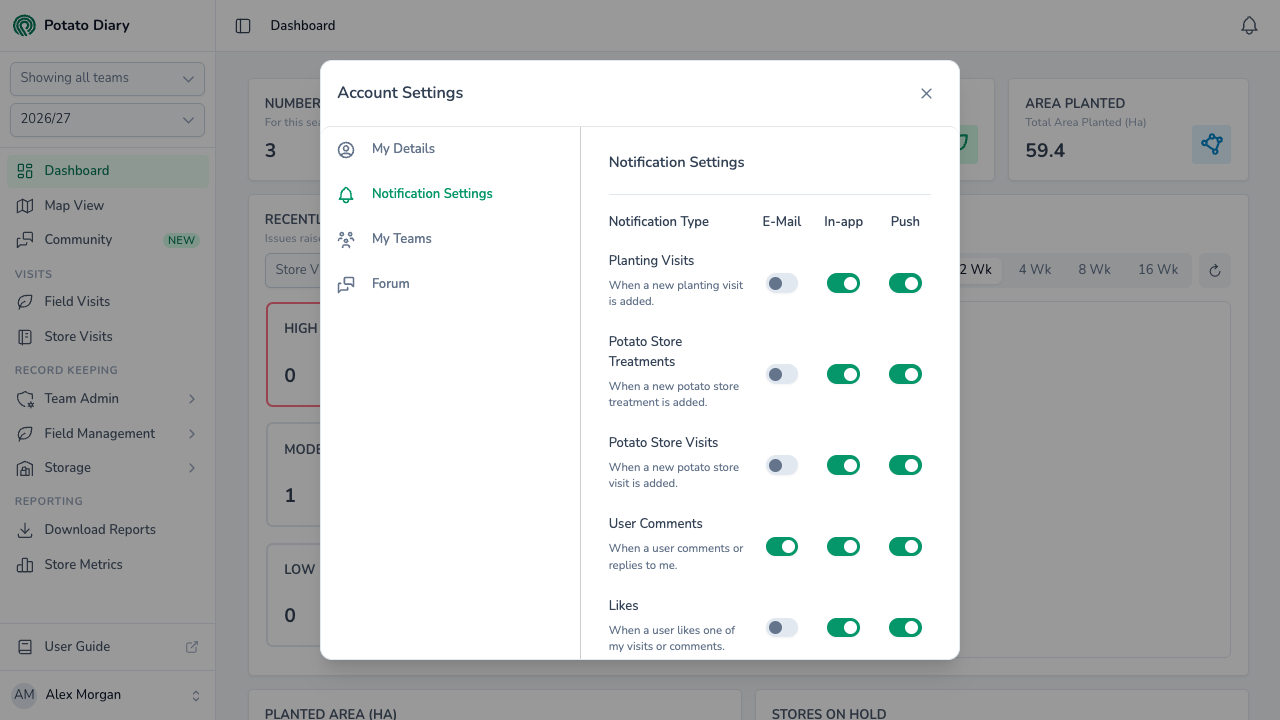
You'll see a row for each notification type, with a toggle under each channel.
Step 2 — Toggle a notification on or off
Click any toggle to switch that channel on (green) or off (grey) for that notification type. Changes save as soon as you click. There's no Save button.
In the screenshot above, the In-app channel is switched on for User Comments. This user will now see a notification under the bell whenever someone comments on, or replies to, one of their records.
Notification types
| Type | When it fires |
|---|---|
| Planting Visits | A new planting visit is added. |
| Potato Store Treatments | A new potato store treatment is added. |
| Potato Store Visits | A new potato store visit is added. |
| User Comments | Someone comments on, or replies to, one of your records. |
| Likes | Someone likes one of your visits or comments. |
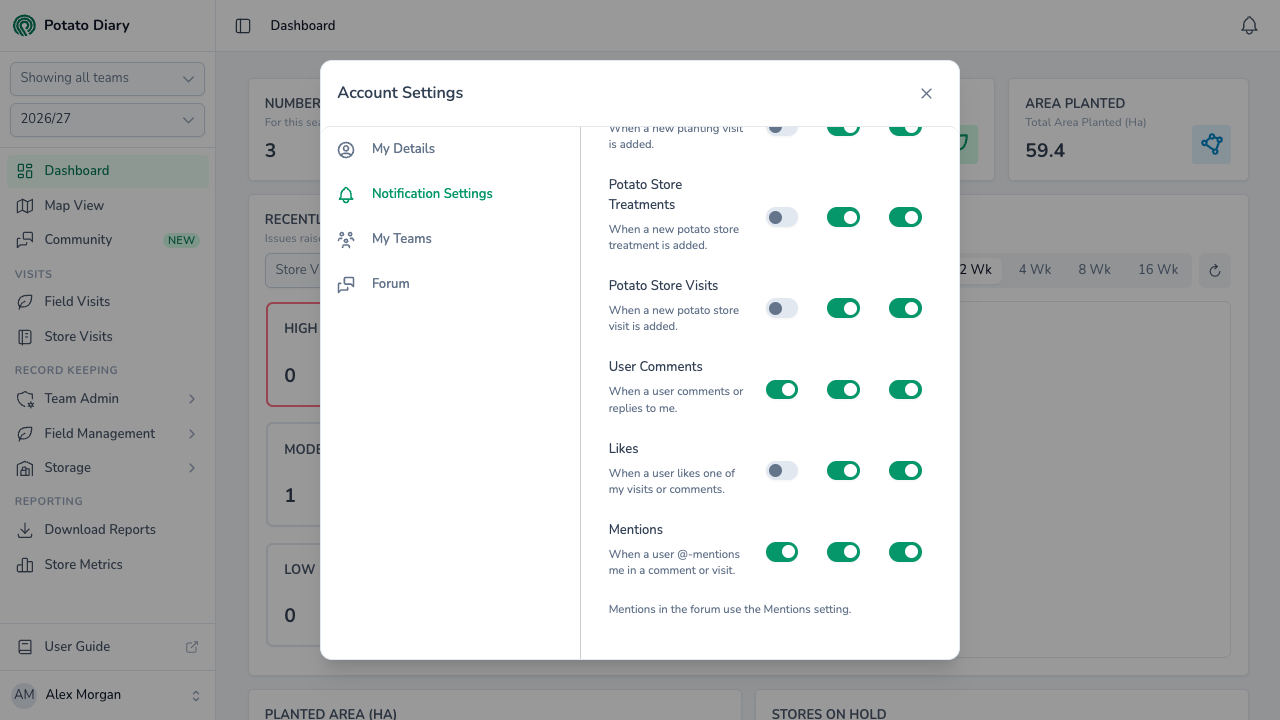
| Mentions | Someone @-mentions you in a comment or visit. |
| Forum replies | Someone replies to a forum thread you follow. |
| Forum announcements | Potato Diary posts an announcement in the forum. |
The two forum rows only appear when the Community forum is switched on. When they do, a note below the list reminds you that @-mentions in the forum use the Mentions setting.
Why are some toggles greyed out?
Some notification types can't be sent on every channel. A greyed-out toggle can't be switched on.
At the moment, E-Mail isn't available for Planting Visits, Potato Store Treatments, Potato Store Visits or Likes. In-app and Push are available for every type.
What's next
- Getting around the app — Find the notifications bell and the rest of the top bar.
- Updating your profile — Change the name your team sees you as.