
Appearance
Planting Inventory report
An Excel workbook of your plantings and the seed used on them, with a per-variety summary. Use it for end-of-planting checks, seed audits and summaries for growers.
Filters
In the left sidebar, open Reporting › Download Reports, then click Excel on the Planting Inventory row.
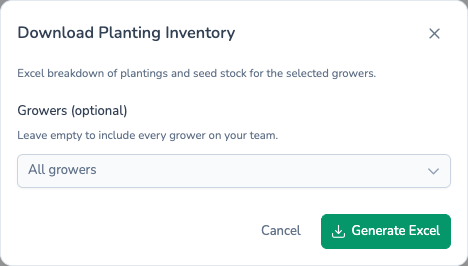
| Field | Required? | If left empty |
|---|---|---|
| Growers (optional) | No | Every grower |
That's the only filter. The report covers the season chosen in the sidebar, and only the teams chosen in the sidebar team picker.
What's in the file
The workbook has three sheets.
Planting Inventory
One row per planting, in customer-reference order, under a heading naming the season. The columns are Team, Customer Ref, Farm (the grower), Field Ref, Variety, Irrigation, Gross Area Ha, GPS Area, Actual Planted Area, Est. Yield, Est. Tonnage, What 3 Words and Notes, then the Planting, Emergence, Desiccation and Harvest dates.
Seed Stocks
The seed recorded against each planting, grouped by variety with a blank row between varieties. The columns are Team, Variety, Crop Number, Size Fractions, Quantity Used, Area (Ha), Customer Ref, Farm, Field Ref, Visits Count and Field Issues. Field Issues lists each issue raised on that planting's field visits, with its severity in brackets.
Variety Summary
One row per variety, in name order, showing the number of Plantings, Gross Area Ha, GPS Area, Actual Planted Area and Est. Tonnage. A Total row at the bottom adds them up.
Filename
- One grower chosen:
{grower-name}-planting-inventory-{date}.xlsx. - No single grower, but exactly one team chosen in the sidebar:
{team-name}-planting-inventory-{date}.xlsx. - Anything else:
planting-inventory-{date}.xlsx.
What's next
- Field Visits — Every field visit, one row each.
- Store Inventory — The storage side: what's been put into store.
- Scheduling reports — Email yourself a planting summary each Monday.