
Appearance
Store Inventory report
An Excel list of every stock in your stores this season, with how much went in, how much came out and what's left.
Use it for stock takes, end-of-season reconciliations, or when a grower asks what you're holding for them.
Filters
In the left sidebar, open Reporting › Download Reports, then click Excel on the Store Inventory row.
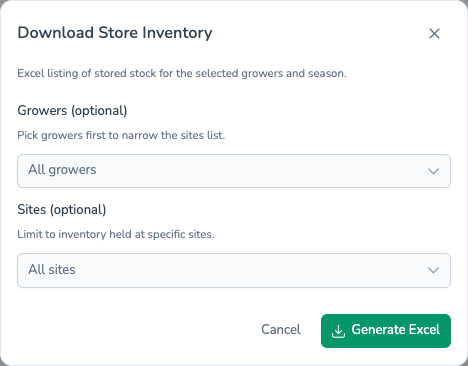
| Field | Required? | If left empty |
|---|---|---|
| Growers (optional) | No | Every grower |
| Sites (optional) | No | Every site |
The report only includes stock recorded against the season chosen in the sidebar, for the teams chosen in the sidebar team picker.
What's in the file
The workbook has one sheet, Potato Store Inventory, with one row per stock. Rows are grouped by grower, in name order. The columns are:
| Column | What it shows |
|---|---|
| Team | The team the grower belongs to. |
| Site | The site the store is on. |
| Potato Store | The store holding the stock. |
| Bay | The bay, where the store has bays. |
| Stock Ref | The stock's own reference. |
| Grower | Who grew the crop. |
| Customer Ref | The planting's customer reference. |
| Field Ref | The field the crop came from, or its source if it didn't come from one of your fields. |
| Variety | The variety. |
| In (Mt) | Tonnes loaded in. |
| Out (Mt) | Tonnes moved out. |
| Balance (Mt) | In minus Out. |
| Loading Date | When the stock was first loaded. |
| Last Visited | The date of the store's most recent visit. |
A bold totals row at the bottom adds up In, Out and Balance.
Stores with no stock this season are left out, and so are growers with no stock in store.
Filename
potato-store-inventory.xlsx
What's next
- Planting Inventory — The field-side view: what was planted rather than what's stored.
- Store History — Every store visit this season.
- Scheduling reports — Get a fresh inventory file every week.