
Appearance
Irrigation Types
Irrigation types are the methods used to water a planting: overhead rain gun, drip line, sprinklers, or none at all. You pick one when you set up a planting, so you can compare crops across irrigation methods later.
This page only appears if your team uses Field Management.
Step 1 — Open the Irrigation Types list
In the sidebar, under Record Keeping, click Team Admin. The section panel opens beside the sidebar; click Irrigation Types.
Potato Diary ships with a shared starter set: None, Boom Irrigation, Drip Irrigation, Overhead Rain Gun and Sprinkler System. You can't edit or delete these, but you can add your own alongside them.
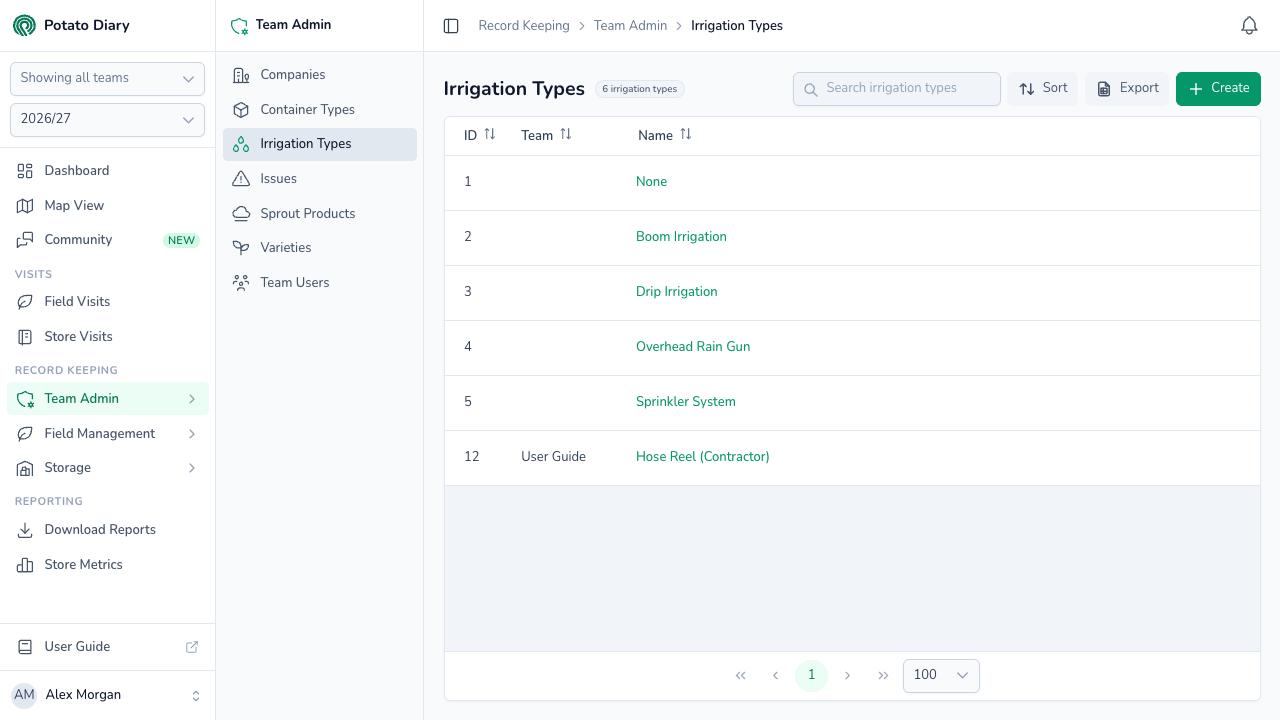
The columns show:
- ID: Potato Diary's internal reference.
- Team: which team owns this irrigation type. Empty means it's a shared default available to every team.
- Name: what the method is called. Click it to open the action menu.
You can sort by ID, Team or Name.
Step 2 — Click Create
At the top right of the page, click the green + Create button.
Step 3 — Fill in the irrigation type
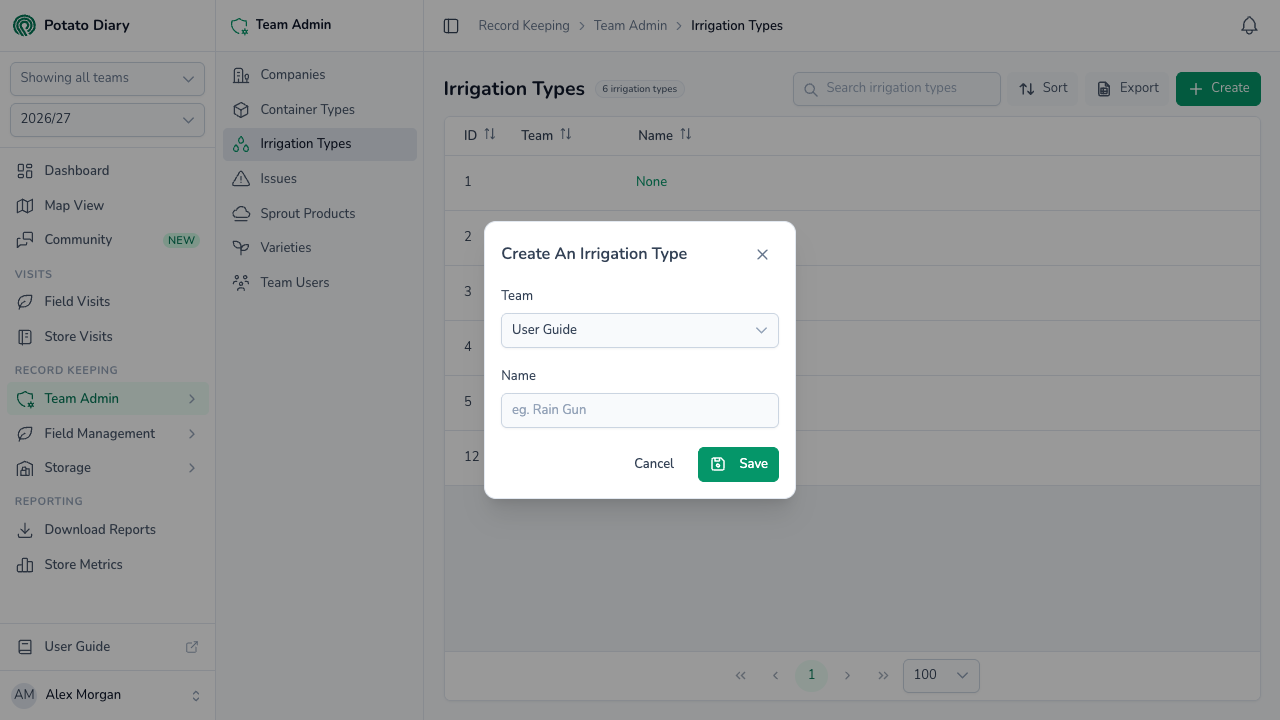
A Create An Irrigation Type dialog opens. Both fields are required.
| Field | What to enter |
|---|---|
| Team | The team this irrigation type belongs to. You can't change it later. |
| Name | A short label, for example Rain Gun or Centre Pivot. This is what shows up in the picker when you create a planting. |
Step 4 — Click Save
The new irrigation type is added to the list and you can now pick it when you create or edit a planting.
Editing or deleting an irrigation type
Click an irrigation type's name to open the action menu:
- Edit opens the same form. Team is locked.
- Copy is greyed out. It isn't available yet.
- Delete asks you to confirm.
Edit and Delete are always greyed out for the shared defaults.
WARNING
Nothing stops you deleting an irrigation type that's already in use, and there's no way to undo it in the app. It disappears from the list and from the planting form's picker. Plantings that used it keep their link to it behind the scenes, but no longer show it.
What's next
- Issues — Curate the catalogue of problems your team can tag on visits.
- Creating a planting — Pick an irrigation type for a planting.