
Appearance
Companies
Companies are the businesses Potato Diary needs to know about: the growers you work with, and the owners that sites, fields and stores belong to. You pick a company when you create a site, a field, a planting or a potato store, so it's worth setting these up before you start logging activity.
Companies also decide what people can see. When you invite someone, you can give them access to specific companies only. See Team Users.
Step 1 — Open the Companies list
In the sidebar, under Record Keeping, click Team Admin. The section panel opens beside the sidebar; click Companies.
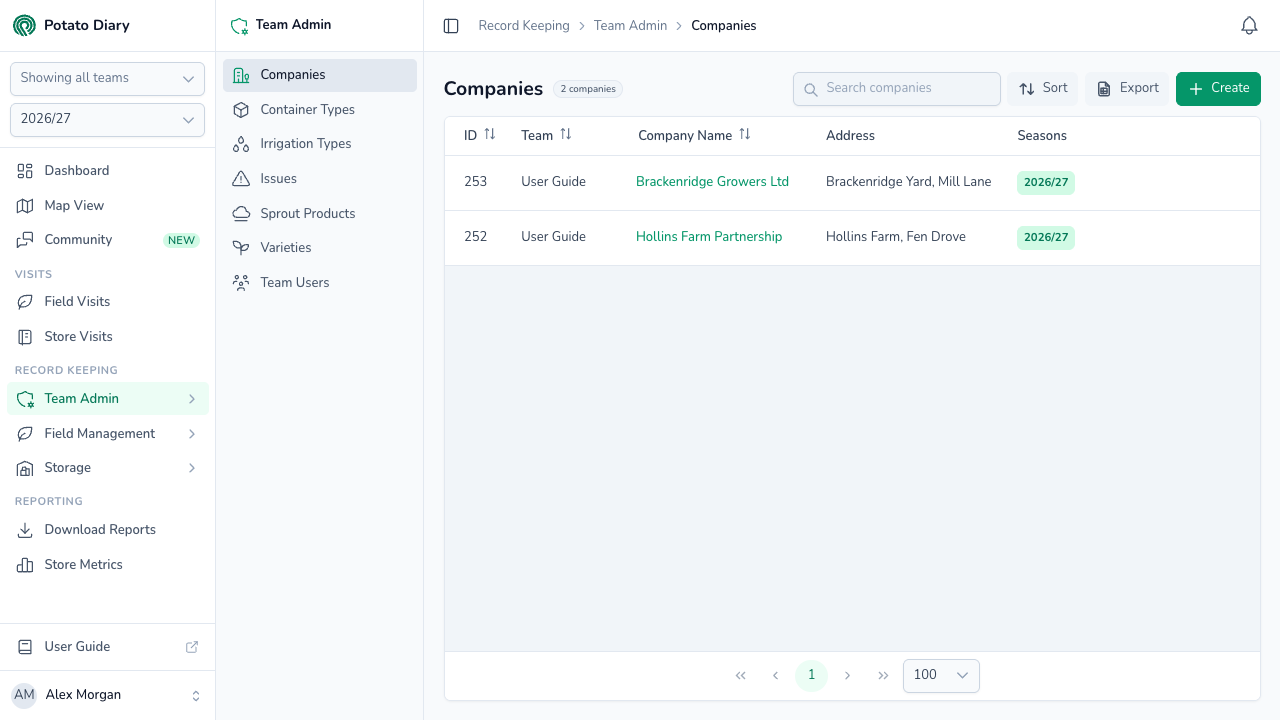
The list shows companies available in the season picked in the sidebar, including companies set up for all seasons. The columns show:
- ID: Potato Diary's internal reference for the company.
- Team: which team this company belongs to. Only useful if you're in more than one team.
- Company Name: the trading name. Click it to open the action menu.
- Address: the first line of the company's address.
- Seasons: the seasons this company is available in. The current season is highlighted in green. All Seasons means it's available in every season.
You can sort by ID, Name or Team.
Step 2 — Click Create
At the top right of the page, click the green + Create button. You'll only see it if you're allowed to create companies.
Step 3 — Fill in the company details
A Create A Company dialog opens. Only Team and Trading Name are required.
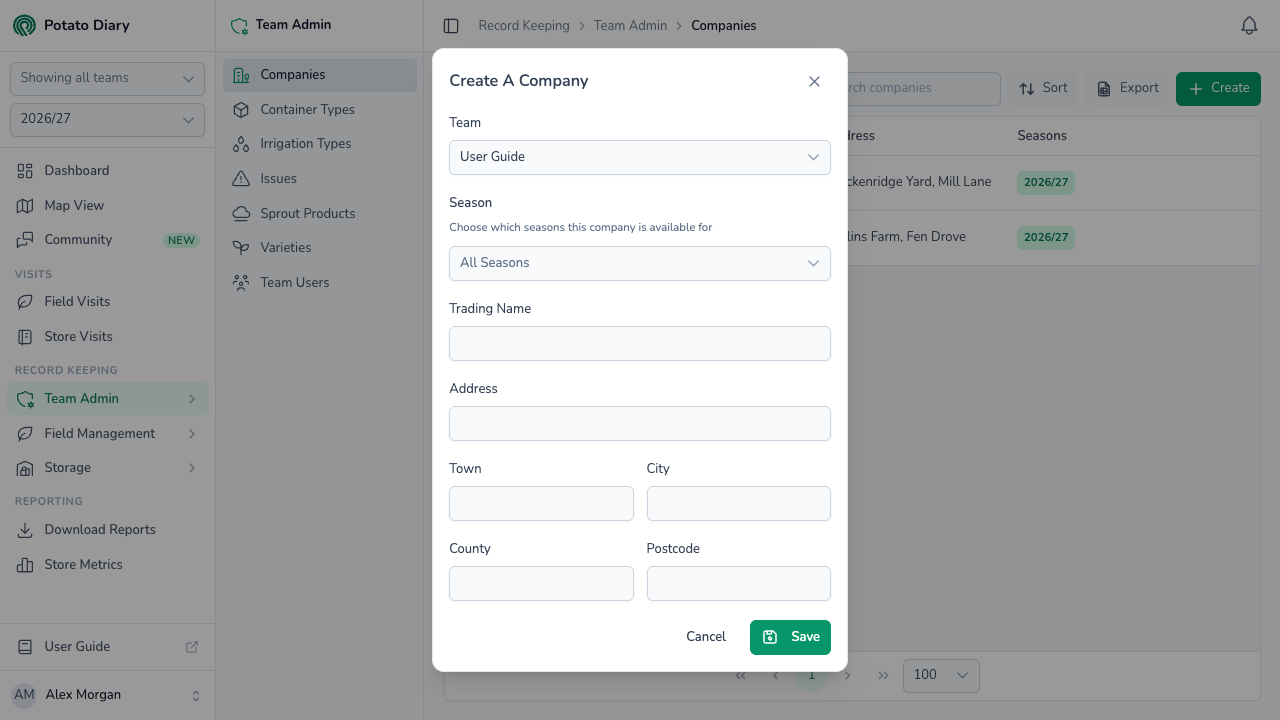
| Field | What to enter |
|---|---|
| Team | The team this company belongs to. Defaults to your current team. You can't change it later. |
| Season | Leave it showing All Seasons to make the company available in every season, or pick specific seasons. |
| Trading Name | The name people on your team will see, usually the company's day-to-day trading name. |
| Address | First line of the address, for example Unit 3, Chiltern Industrial Estate. |
| Town, City, County, Postcode | The rest of the address. |
Step 4 — Click Save
The new company appears in the list, and you can now pick it wherever Potato Diary asks for a company.
Editing or deleting a company
Click a company's name in the list to open the action menu:
- Edit opens the same form, titled with the company's name. Team is locked.
- Copy is greyed out. It isn't available yet.
- Delete asks Are you sure you want to delete the company …? Click Delete to confirm.
Edit and Delete are greyed out if you don't have permission to change that company.
WARNING
Nothing stops you deleting a company that's already in use, and there's no way to undo it in the app. The company disappears from the list and from company pickers. Sites, fields, plantings, stores and other records that used it keep their link to it behind the scenes, but no longer show the company.
If you just want to stop using a company, edit it and limit its Season list to the seasons it was used in, instead of deleting it.
What's next
- Container Types — Define the box and bulk container sizes used in your stores.
- Creating a site — Add the sites your potato stores belong to.
- Creating a field — Add a field with its grower and boundary.