
Appearance
Container Types
Container types describe the containers crops are stored in, such as different sizes of box or a bulk pile, and how much each one holds. You pick one as the default container type on each potato store, and again when stock moves in or out of a store, so Potato Diary can work out tonnages from the number of containers.
This page only appears if your team uses Storage.
Step 1 — Open the Container Types list
In the sidebar, under Record Keeping, click Team Admin. The section panel opens beside the sidebar; click Container Types.
Potato Diary ships with a shared starter set: Bulk and boxes of 0.90t, 1.00t, 1.10t, 1.15t, 1.20t, 1.25t and 1.50t. You can't edit or delete these, but you can add your own alongside them.
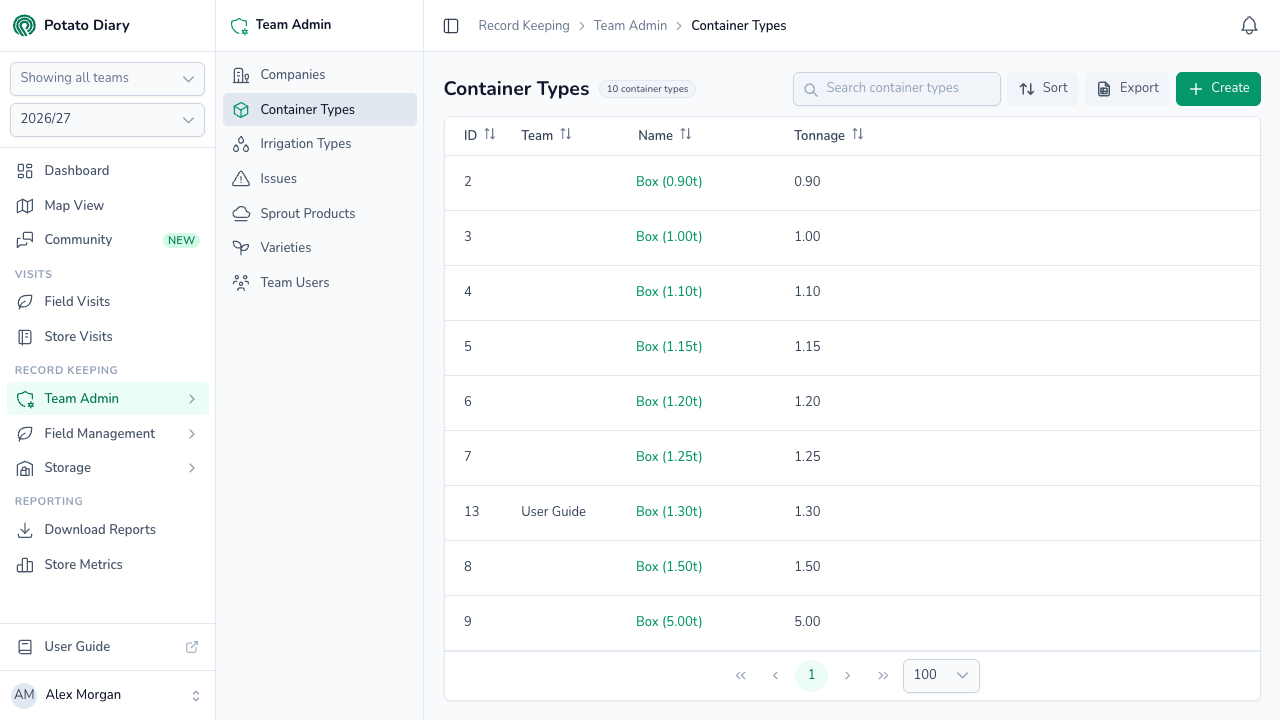
The columns show:
- ID: Potato Diary's internal reference.
- Team: which team owns this container type. Empty means it's a shared default available to every team.
- Name: what the container is called when you pick it elsewhere. Click it to open the action menu.
- Tonnage: how much one container holds, in tonnes, to two decimal places.
You can sort by ID, Team, Name or Tonnage.
Step 2 — Click Create
At the top right of the page, click the green + Create button.
Step 3 — Fill in the container type
A Create A Container Type dialog opens. All three fields are required.
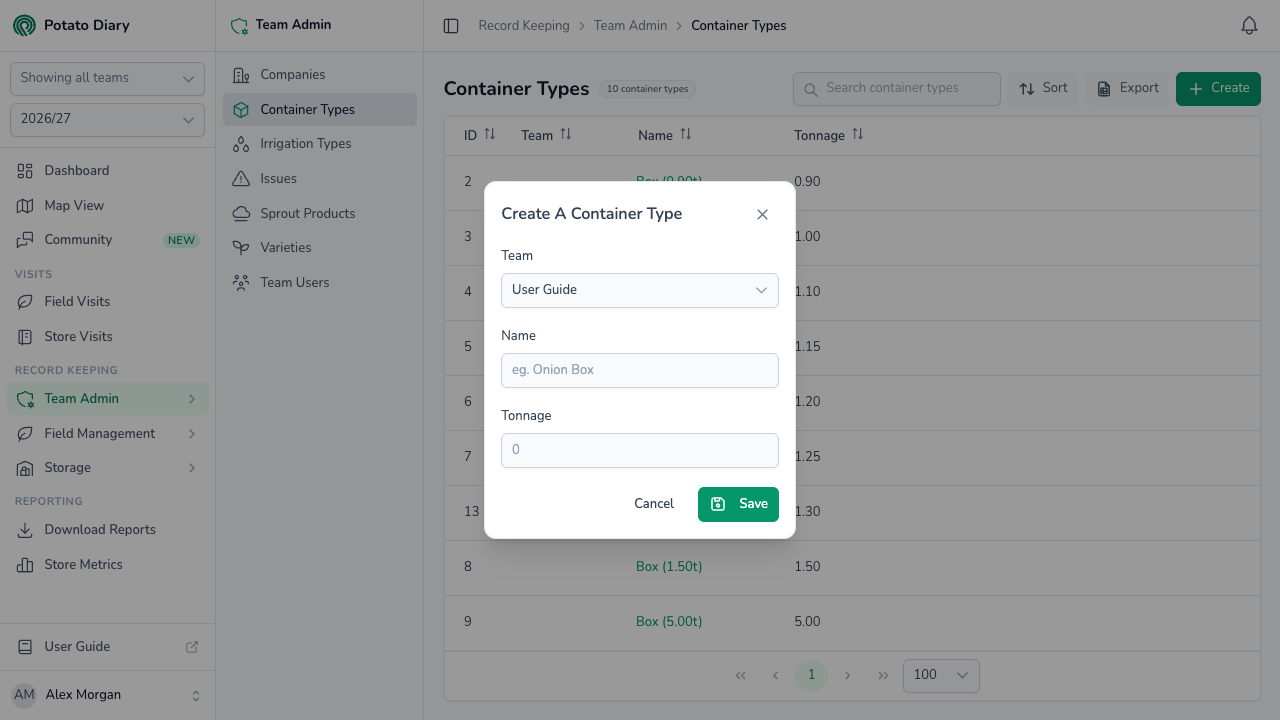
| Field | What to enter |
|---|---|
| Team | The team this container type belongs to. You can't change it later. |
| Name | A short label, for example Onion Box or Half-tonne Crate. This is what shows up in pickers. |
| Tonnage | How much one container holds, in tonnes, up to two decimal places. It must be between 0 and 10. |
Step 4 — Click Save
The container type is added to the list and you can now pick it on potato stores and stock movements.
Editing or deleting a container type
Click a container type's name to open the action menu:
- Edit opens the same form. Team is locked.
- Copy is greyed out. It isn't available yet.
- Delete asks you to confirm.
Edit and Delete are always greyed out for the shared defaults.
WARNING
Nothing stops you deleting a container type that's already in use, and there's no way to undo it in the app. It disappears from the list and from container pickers. Potato stores and stock movements that used it keep their link to it behind the scenes, but no longer show it.
What's next
- Irrigation Types — Configure the irrigation methods used on your fields.
- Creating a potato store — Set a store's default container type.
- Creating a store inventory — Record stock moving in and out of store.