
Appearance
The Visits tab
The Visits tab on a field shows a card for every visit recorded against the field in the season you've picked. That includes visits to each of the field's plantings, and any recorded before anything was planted. The same cards appear, for all your fields, under Visits › Field Visits in the sidebar.
Opening the tab
Open the field, then click Visits in the field's tab bar.
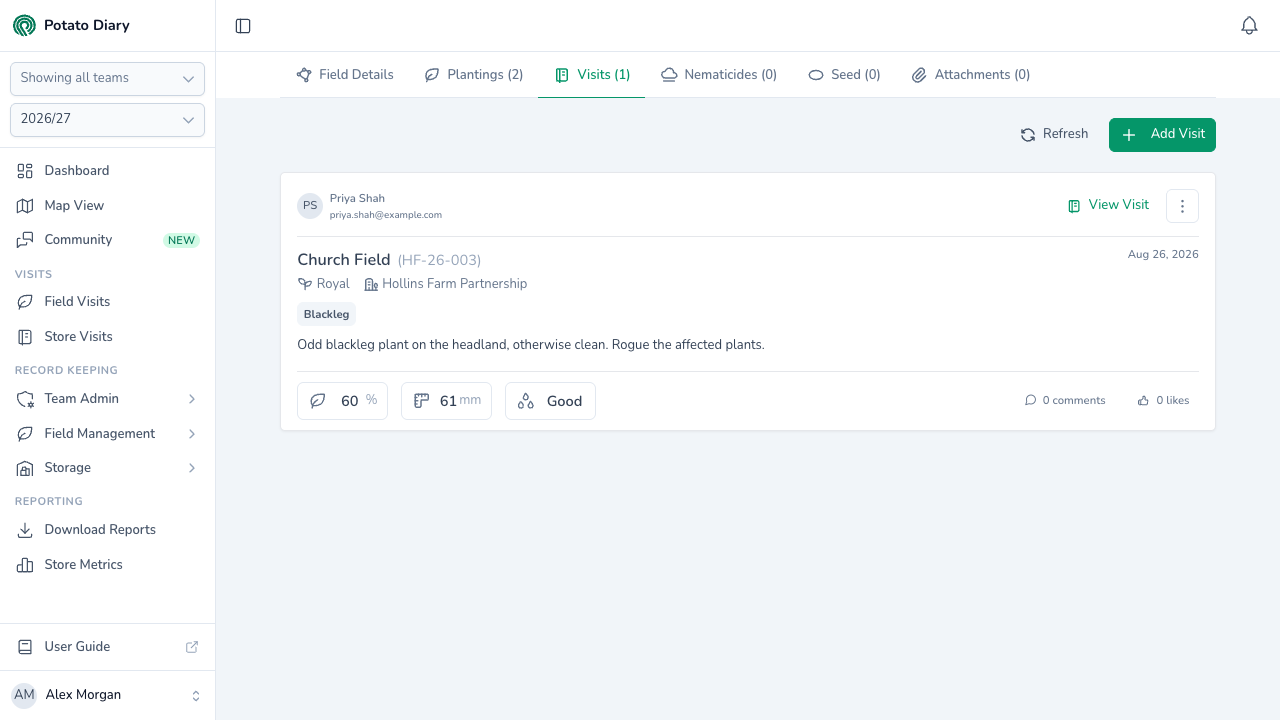
What's in each visit card
- Who recorded it: their initials, name and email, top left.
- View Visit and a menu button (⋮), top right. The menu has View Visit, then Edit with Edit, Copy (always greyed out) and Delete under it.
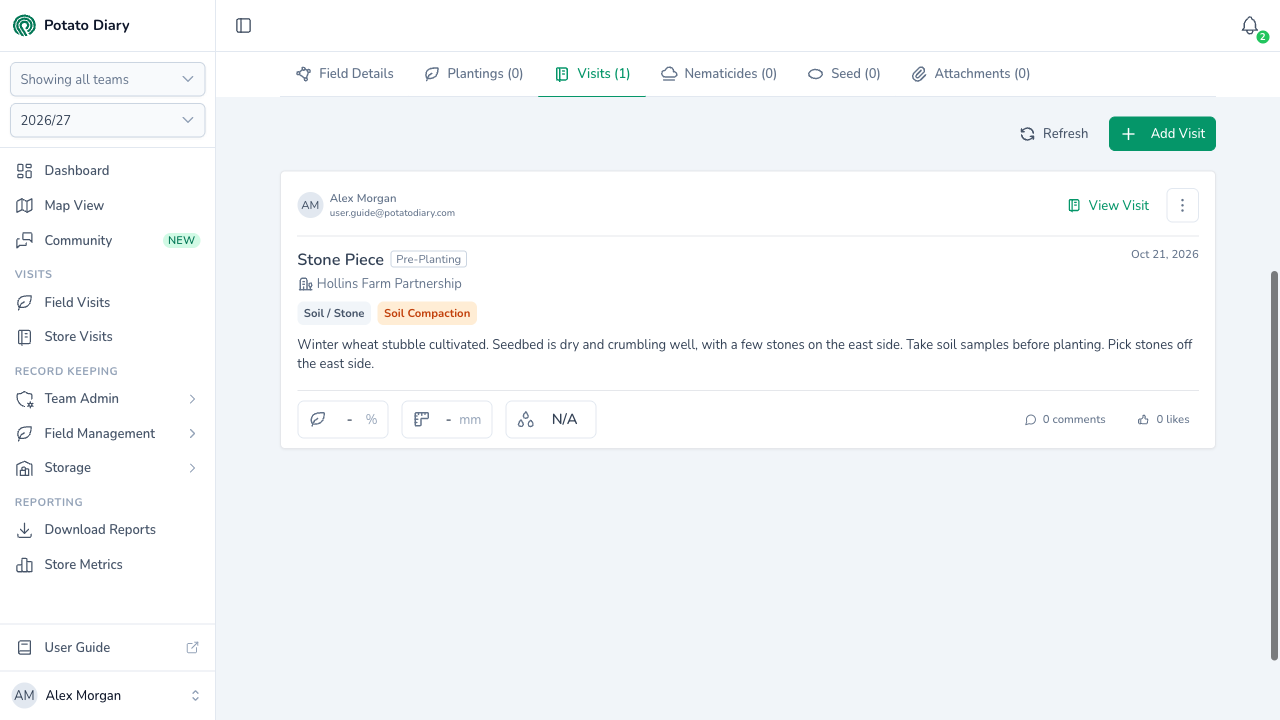
- The field and planting: the field name with the planting reference in brackets, and the variety and grower underneath. The visit date is on the right. A visit recorded before planting has a Pre-Planting tag in place of the reference, and no variety.
- Issues: a tag for each issue found, coloured by severity.
- Comments: the visit's crop comments and actions. Mentioned people are highlighted.
- Photos: up to six photos from the visit. Click one to open the full-screen viewer.
- Measurements: chips for Canopy Cover (%), Leading Tuber (mm) and Soil Moisture. A pre-planting visit has no chips at all: the measurements describe a crop, and there isn't one yet.
- Comments and likes: a button showing how many comments the visit has, which opens the visit panel, and a like button.
The visit form on the website has no soil moisture input, so the Soil Moisture chip is blank for visits recorded there.
The visit panel
Click View Visit to open the visit in a panel on the right.
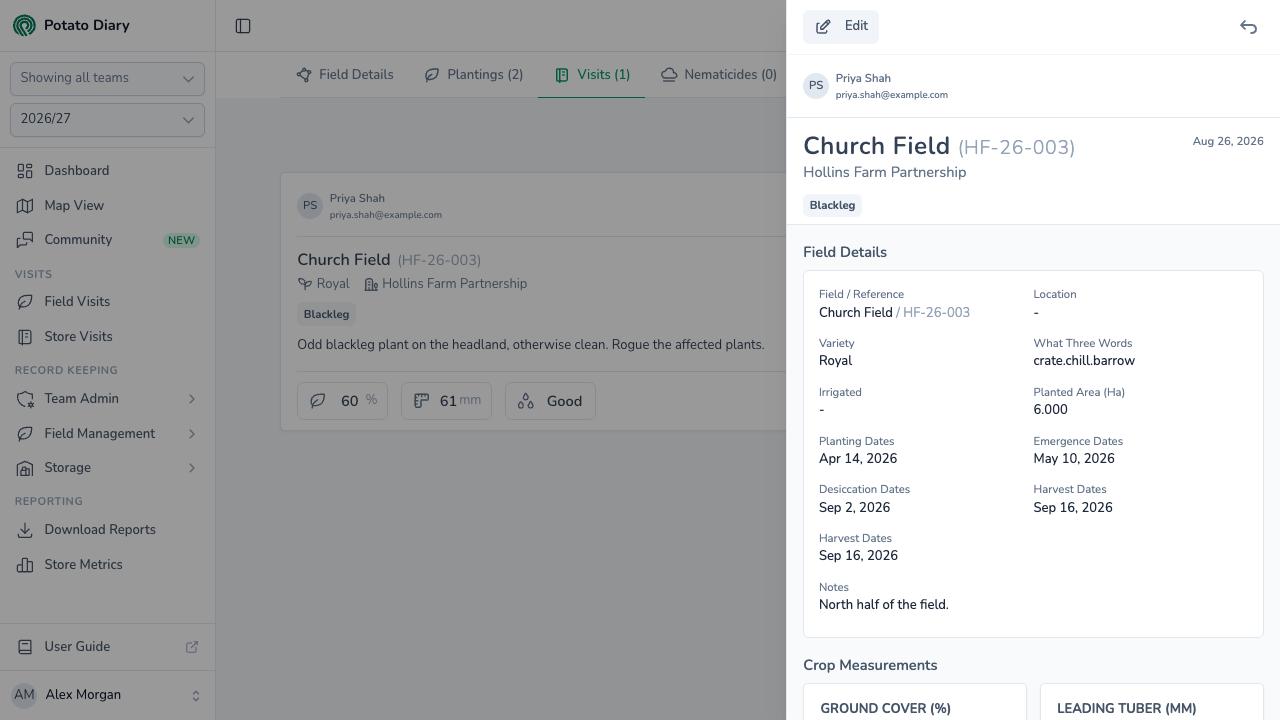
From top to bottom, the panel shows:
- Edit, if you can edit the visit
- who recorded the visit
- the field name and planting reference, or the Pre-Planting tag, the grower, the visit date and the visit's issue tags
- the visit's photos
- Field Details: the field and reference, location, variety, What Three Words, irrigation, planted area, the planting's key dates and its notes
- Crop Measurements: Ground Cover (%), Leading Tuber (mm) and Soil Temperature (°C)
- Notes: the Crop and Actions comments
- the comment thread, where you can type in Leave a comment... and click Send, or Reply to someone else's comment
On a visit recorded before planting, the Pre-Planting tag sits beside the field name, the planting rows under Field Details (variety, irrigation, planted area, dates and notes) aren't shown, and there's no Crop Measurements section — the panel is the field, its location and What Three Words, then the notes. There's no planting to take people from, so typing @ in the comment box suggests nobody. See Recording a visit.
Adding a visit
Click Add Visit in the top-right to open the Create A Visit dialog with the grower and the field already picked. If the field has one planting, that's picked too. If it has several, choose the one the visit was to. If nothing is planted in the field, leave Planting empty and the visit is recorded against the field alone. See Does the visit need a planting?
The button also shows on a field with no plantings, but only if you can add visits to the field. Refresh next to it reloads the cards.
What's next
- The Nematicides tab — Record nematicide and fungicide applications against the field.
- The Field Details tab — See the visits' photos and measurements on the field's overview.