
Appearance
Configuring bays
Bays divide a potato store into named sections, so you can record which part of the store each stock sits in and which parts a treatment reached. You manage bays from the Bays item on a store's menu. The Maps tab inside the store is separate: it holds uploaded layout files for the same space.
Every new store starts with one bay, named after the store and with the store's capacity. Rename it, or add more bays, to match how the store is laid out.
Adding a bay
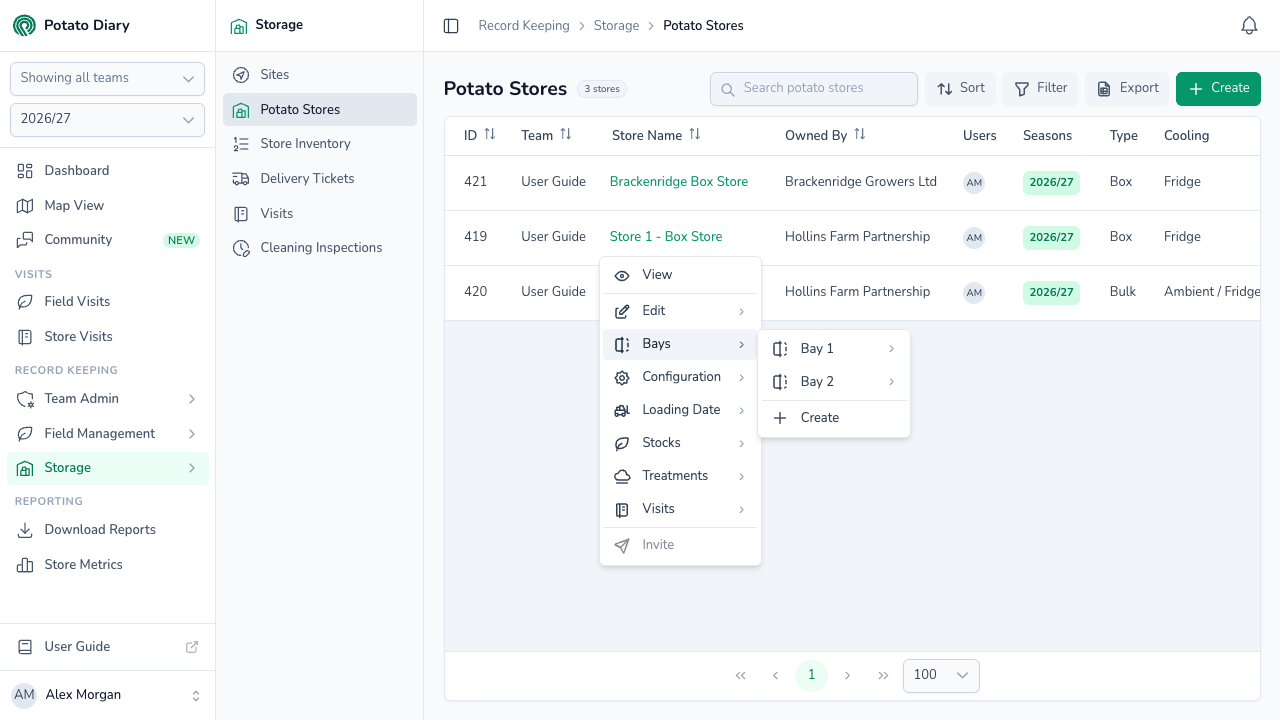
Step 1 — Open the Bays submenu
In the sidebar, under Record Keeping, click Storage. The section panel opens beside the sidebar; click Potato Stores. Click the store's name to open its menu, then hover over Bays. The store's existing bays are listed at the top of the submenu, with Create at the bottom.
Step 2 — Click Create
The Create Bay dialog opens with the team and store filled in.
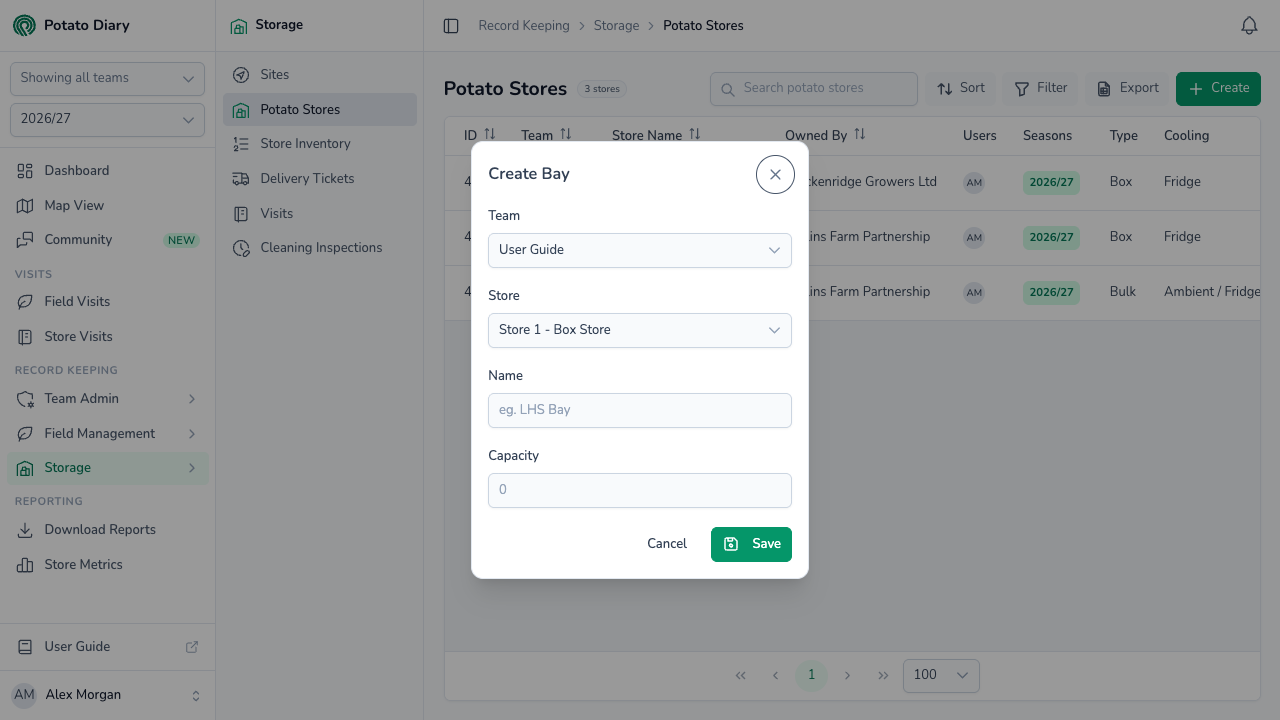
| Field | What to enter |
|---|---|
| Team | The team the bay belongs to (filled in). |
| Store | The store the bay is in (filled in). |
| Name | A short label for where the bay is, such as LHS Bay, North End or Bay 3. |
| Capacity | How much the bay can hold, in tonnes. |
Step 3 — Click Save
The bay is added to the store and appears in the Bays submenu. Repeat for each bay you need.
TIP
When a store has only one bay, the stock dialog picks it for you. Once you add a second bay, you choose the bay each time you add stock.
Editing or deleting a bay
In the Bays submenu, hover over a bay's name to show its own Edit and Delete options.
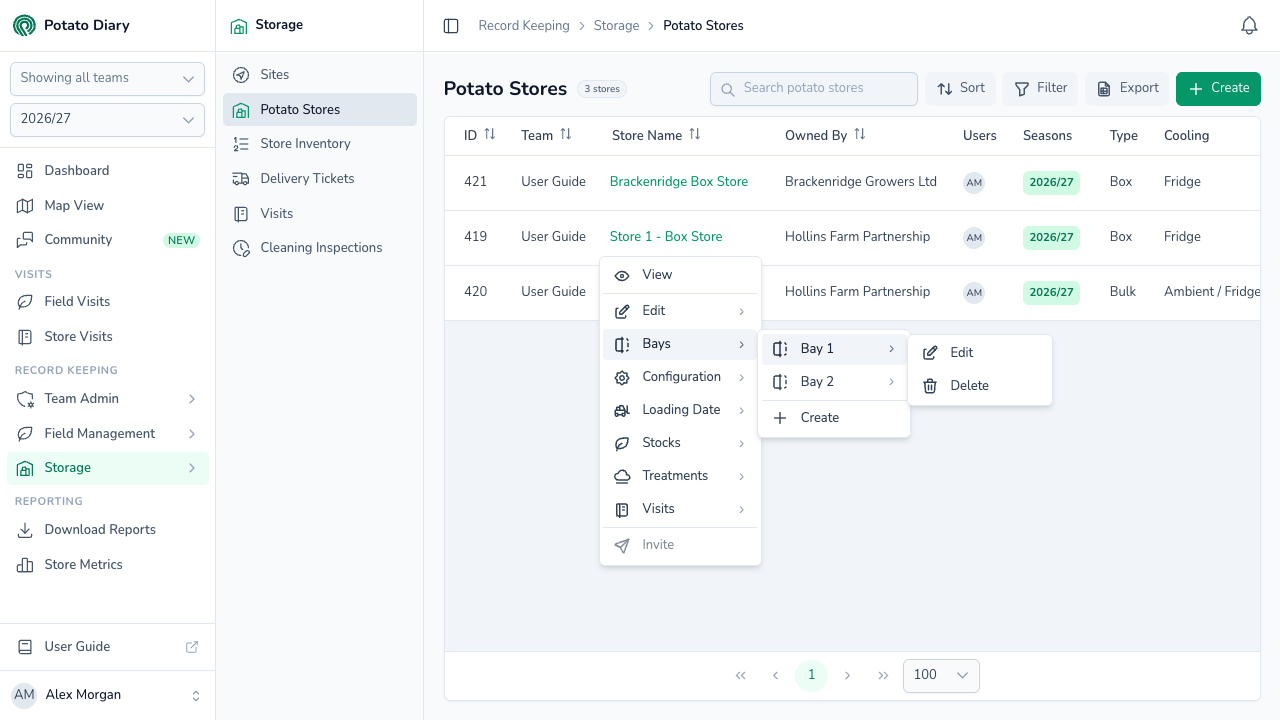
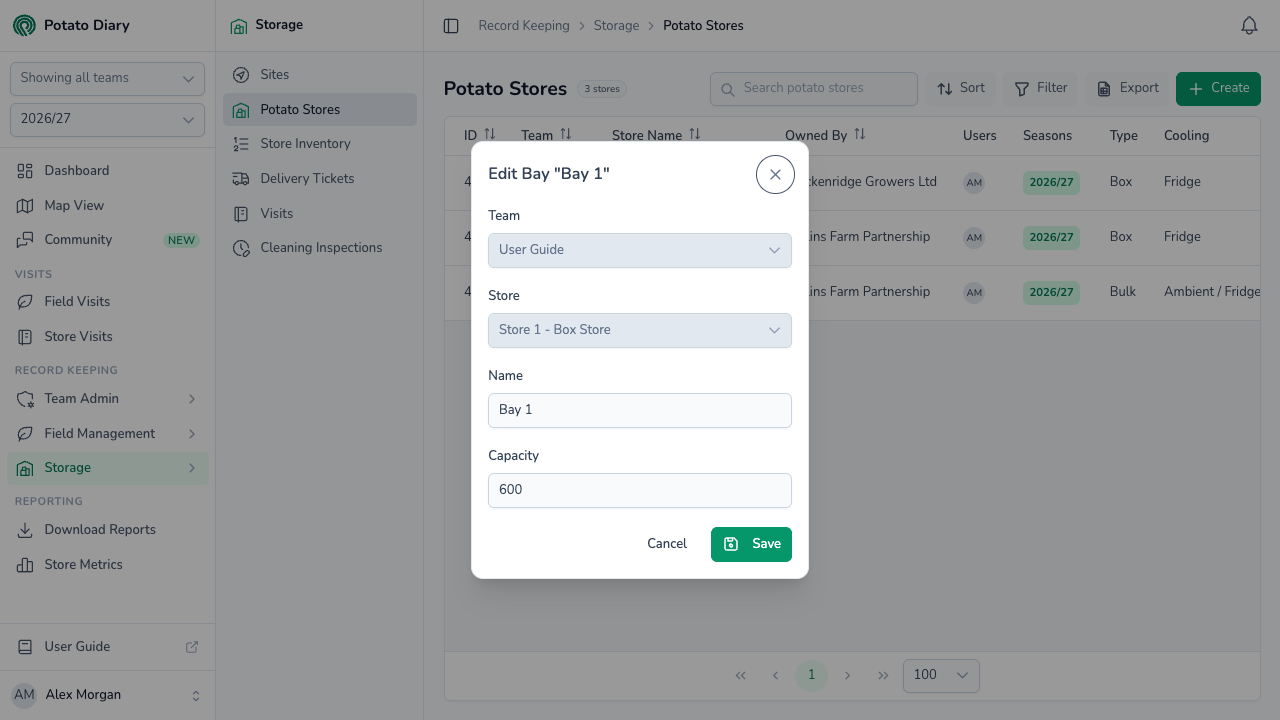
Edit opens the same dialog as Create, with the bay's name in the title. The Team and Store fields are locked, so a bay can't be moved to another store.
What's next
- Exporting store history — download a store's PDF report, and compare stores on the Store Metrics page.
- The Stocks tab — once your bays are set up, record what's in each one.
- The Treatments tab — treatments record which bays they reached.