
Appearance
The Visits tab
The Visits tab on a potato store shows the visits recorded at that store in the season picked in the sidebar, as cards, newest first. It shows up to the 50 most recent visits; for older ones, use the Potato Store Visits table and filter it by store. They're the same visits you see on the Potato Store Visits table and under Visits › Store Visits in the sidebar, limited to one store.
Opening the tab
In the sidebar, under Record Keeping, click Storage. The section panel opens beside the sidebar; click Potato Stores. Click a store's name to open its menu, then choose Visits › View All. You can also choose View and click the Visits tab, or go straight to the form with Visits › Create.
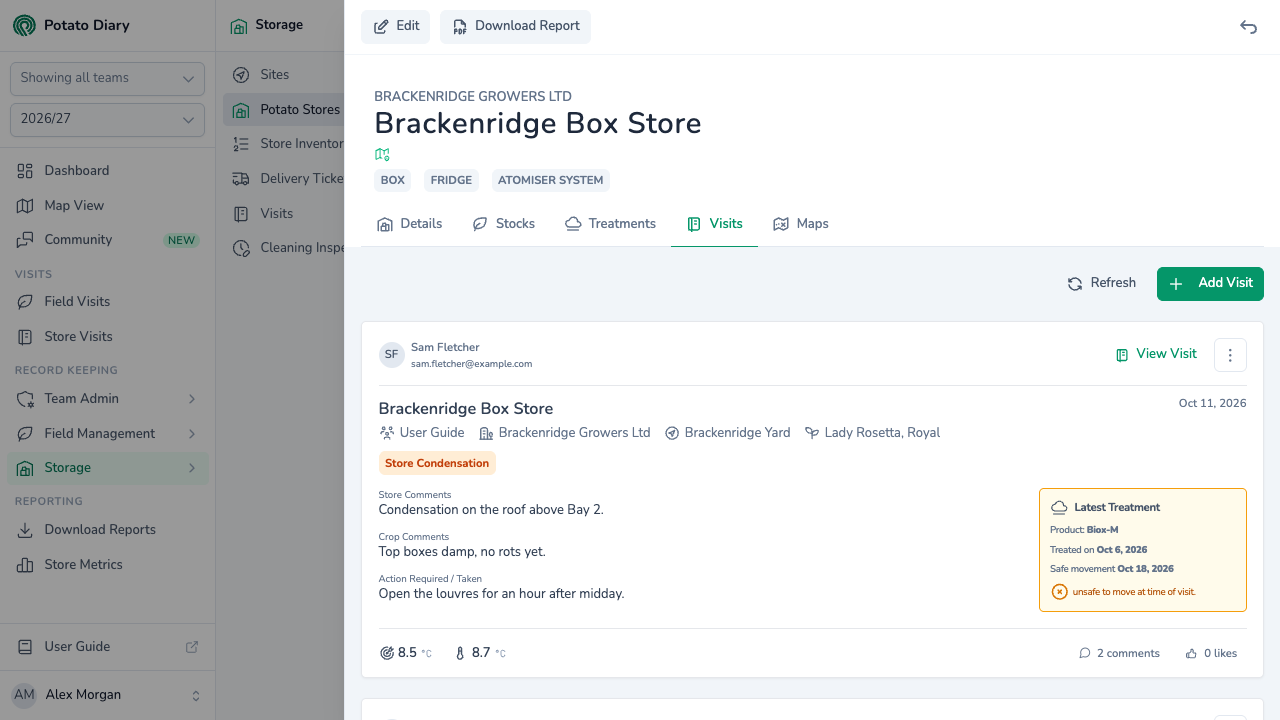
What's on a visit card
Each card shows:
- who recorded the visit, with their name and email, and the visit date
- the store's owner, site and varieties
- the store's risk band after this visit, if you can see storage risk and the store has been analysed. Hover over it for a one-line summary, or click it to open a strip with more detail.
- the issues tagged on the visit
- the Store Comments, Crop Comments and Action Required / Taken notes
- a Latest Treatment box, if the store had been treated before the visit. It says whether the crop was safe to move at the time of the visit.
- any photos taken on the visit
- the target and average temperatures
- the number of comments, and a Like button
The readings themselves aren't on the card. Click View Visit, or the comment count, to see them.
Viewing a visit
View Visit opens the visit in a panel on the right.
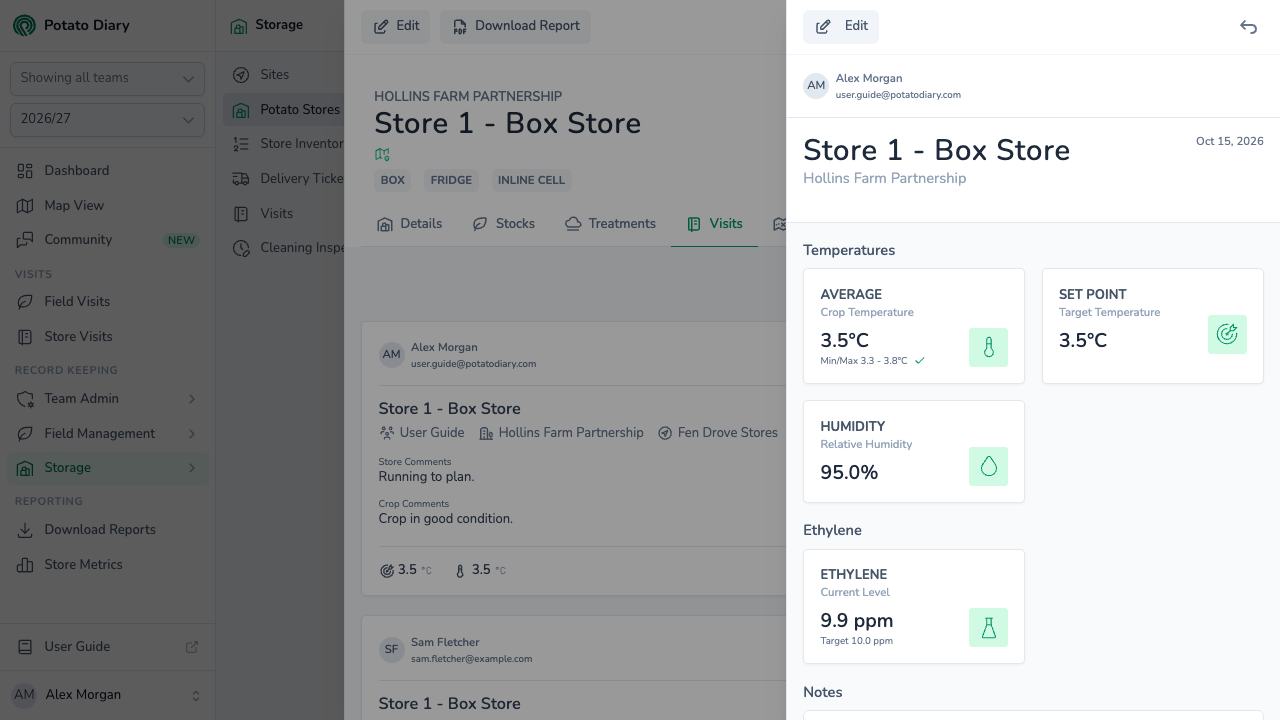
The panel shows the visit's photos, its key temperatures (average, set point and humidity), its ethylene readings if any were taken, and its Notes (Crop, Store and Actions). At the bottom, people can read and add comments on the visit. Click Edit at the top to change the visit, if you're allowed to.
The ⋮ button on a card has View Visit and Edit › Edit / Delete.
Adding a visit
Click Add Visit at the top right of the tab (or Refresh to reload the list). The Create A Visit dialog opens with this store already picked. The rest of the dialog is described in Potato Store Visits.
What's next
- The Maps tab — upload store layout files.
- Potato Store Visits — the full walkthrough of the visit dialog, including how the configuration decides which readings appear.
- The Treatments tab — record a treatment that came out of a visit.