
Appearance
Loading Date
The loading date is the day you started filling the store this season. Potato Diary counts the store's weeks in store from this date, which is what the Runtimes and Energy charts on the Details tab are plotted against. Without a loading date those charts have nothing to show for the store, and the store isn't listed on the Store Metrics page.
Each store has one loading date per season.
Step 1 — Open the store's menu
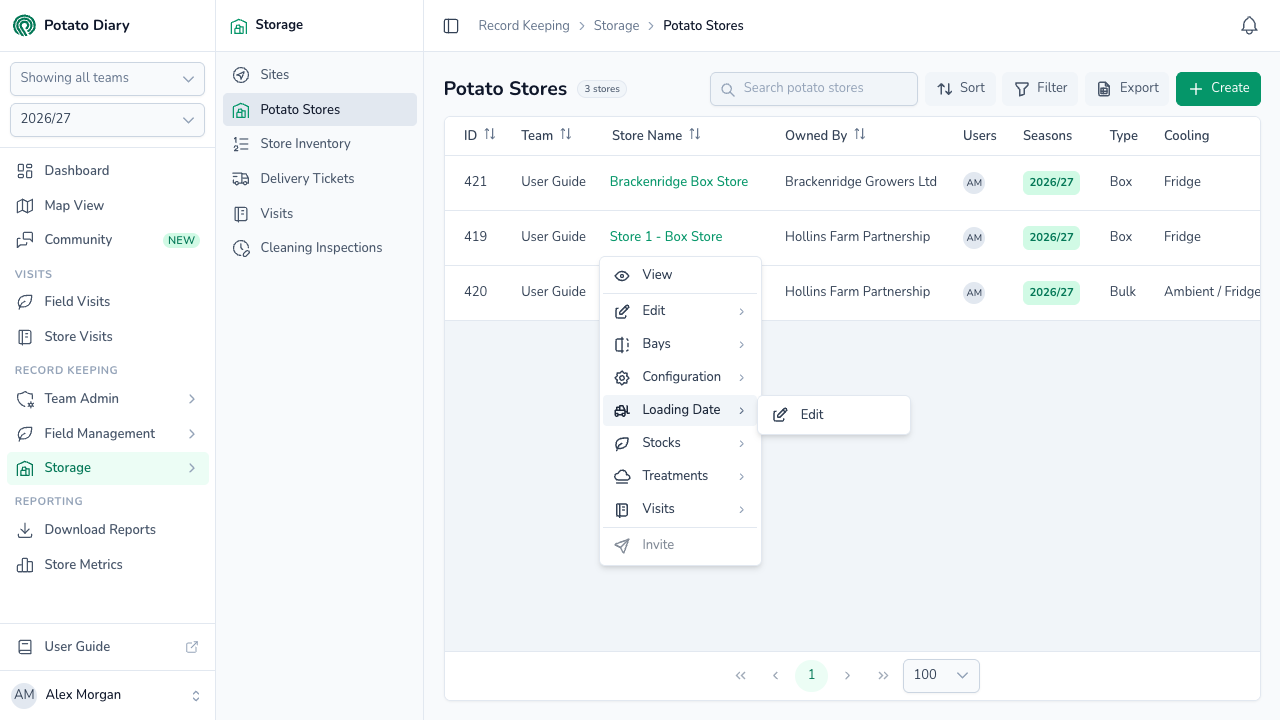
In the sidebar, under Record Keeping, click Storage. The section panel opens beside the sidebar; click Potato Stores, then click the store's name to open its menu.
Step 2 — Click Loading Date › Edit
Hover over Loading Date to show the submenu, then click Edit.
Step 3 — Pick the date the store started loading
The Edit Fill Date dialog opens.
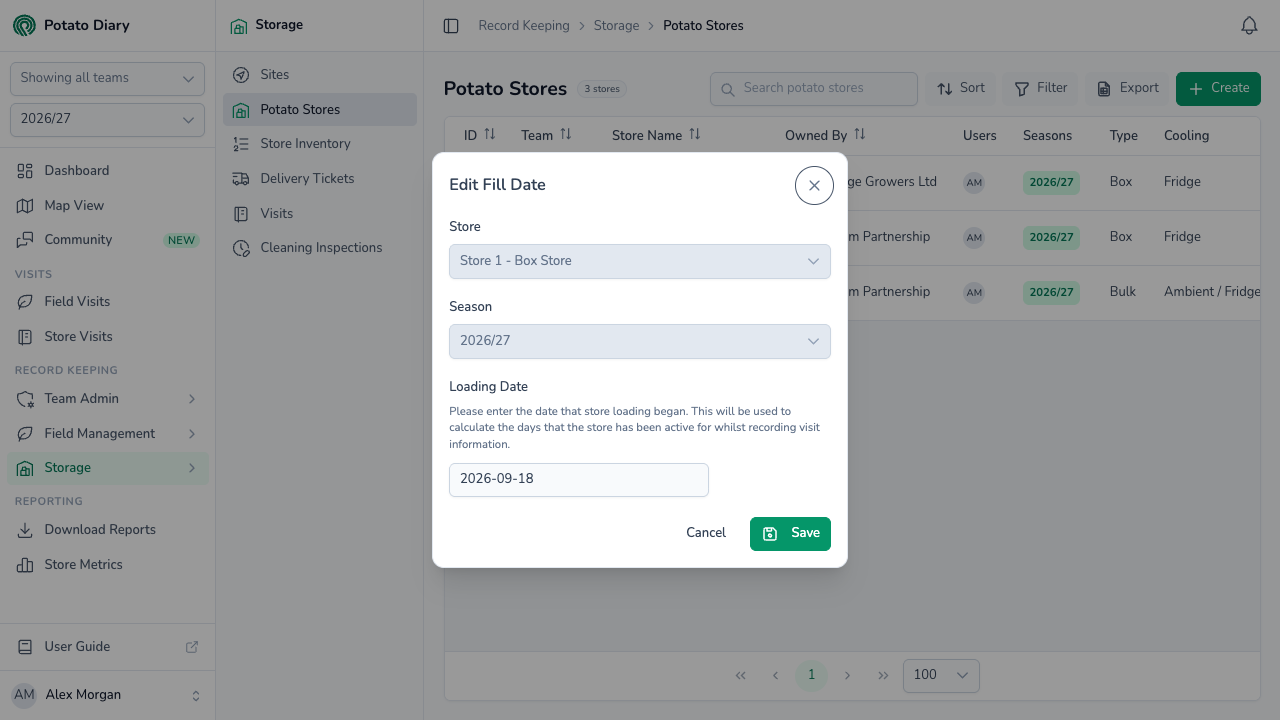
| Field | What to enter |
|---|---|
| Store | The store you're setting the date for. Filled in and locked. |
| Season | The season the date applies to. Filled in with the season picked in the sidebar, and locked. |
| Loading Date | The date store loading began. |
TIP
If loading was spread over several days, pick the day the first crop went in.
Step 4 — Click Save
The loading date is saved against the store for that season, and Potato Diary works out the store's runtimes again straight away. Energy figures are worked out overnight.
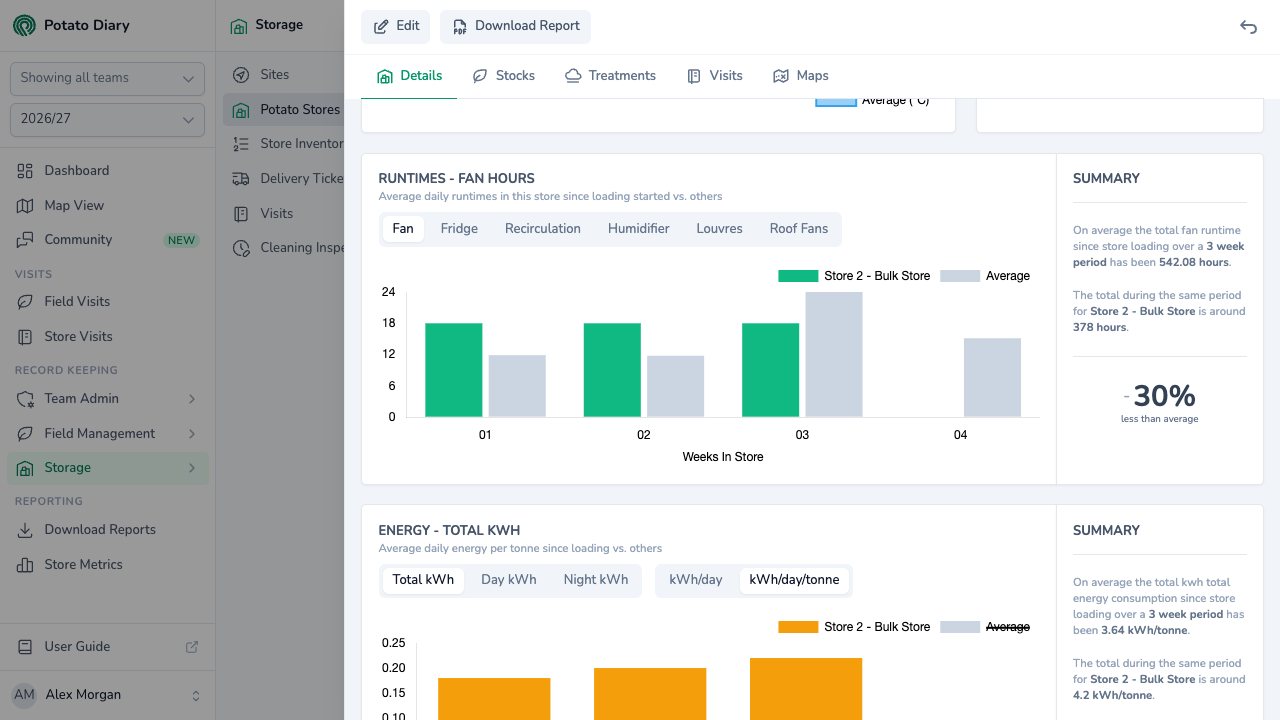
Open the store and stay on the Details tab. The Runtimes chart now plots this store's average daily equipment hours for each week since loading, next to the average for other stores.
WARNING
If any of the store's visits this season are dated before the loading date, Potato Diary can't work out runtimes or energy for the store, and both charts stay empty for it. Check the loading date is no later than the store's first visit.
Setting the loading date for another season
The dialog always uses the season picked in the sidebar. To set the loading date for a different season, switch the season with the season picker in the sidebar first, then open Loading Date › Edit again.
What's next
- Configuring bays — set up the bays inside the store.
- Exporting store history — compare this store's runtimes and energy with other stores on the Store Metrics page.